

Welcome to the ANC Greater Midrand app! This app allows you to connect with other supporters, communicate with leaders, and stay informed on important news, events, and meetings. Below is a guide to help you navigate the app and make the most of its features.
1. Login
To access the features of the app, you first need to log in.
Steps to Log In:

- Open the ANC Greater Midrand app.
- Enter your Username and Password (provided upon registration).
- Tap “Submit” to log in.
- If your login is successful, you will be directed to the main dashboard.
Forgot your password?
- If you can’t remember your password, tap the “Forgot Password” link, follow the prompts to reset it, and you will be able to access your account again.
2. Sign Up

If you are a new user, you can create an account to join the ANC Greater Midrand community.
Steps to Sign Up:
- Open the app and tap “Sign Up”.
- Fill in your Full Name, Ward, ID Number, Email Address, and Password.
- Tap “Submit” to create your account.
- Once activated, you can log in and start using the app.
3. Post
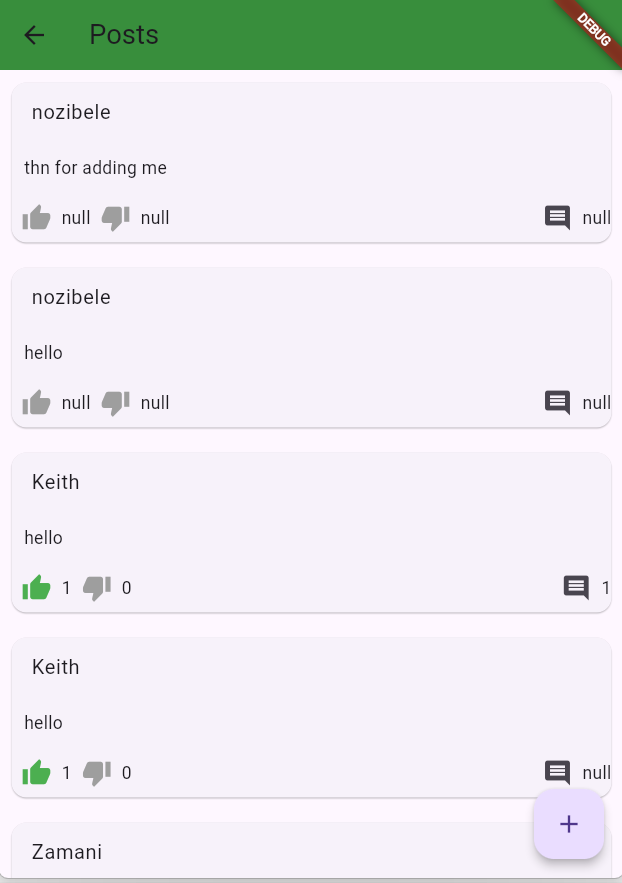
The Post feature allows you to share updates, opinions, or information with other members.
Steps to Post:
- From the main screen, tap the “Post” button (usually a “+” or pencil icon).
- Type your message in the text box.
- You can add images or videos to your post by tapping the camera icon.
- Once your post is ready, tap “Post” to share it with the community.
Note: All posts are visible to other members of the ANC Greater Midrand network.
4. Messages

The Messages feature allows you to send and receive private messages from other users or leaders.
Steps to Send a Message:
- From the main screen, tap on the “Search Users” icon.
- “Select the users name” to start a new conversation.
- Type your message and tap “Send”.
You can also view your inbox for any received messages.
5. Quorums
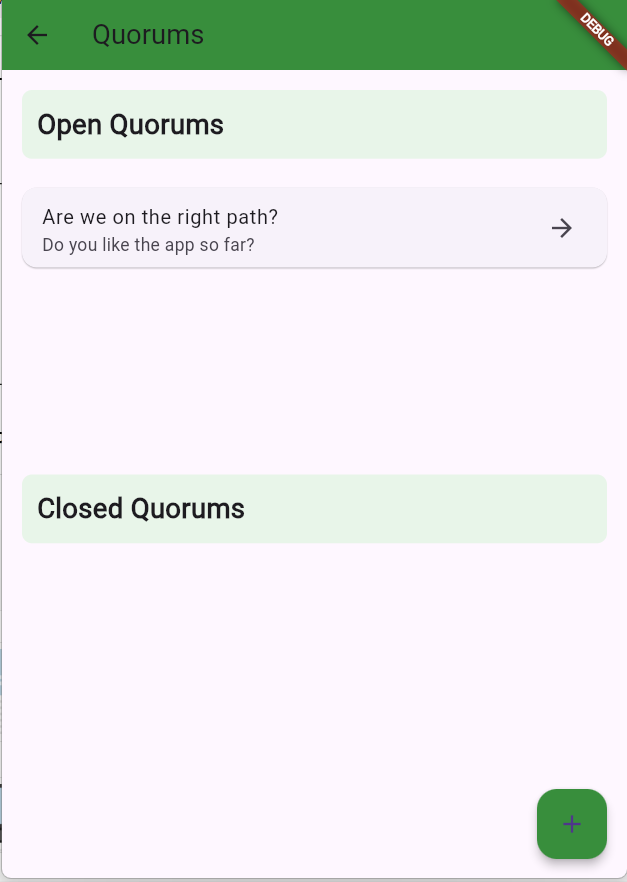
A Quorum is a group formed for discussions or decision-making within the app.
Steps to Access Quorums:
- From the main screen, tap on “Quorums”.
- Browse through available quorums or create a new one.
- To join a quorum, tap the “Join” button next to the quorum name.
- Vote on decisions.
6. Events
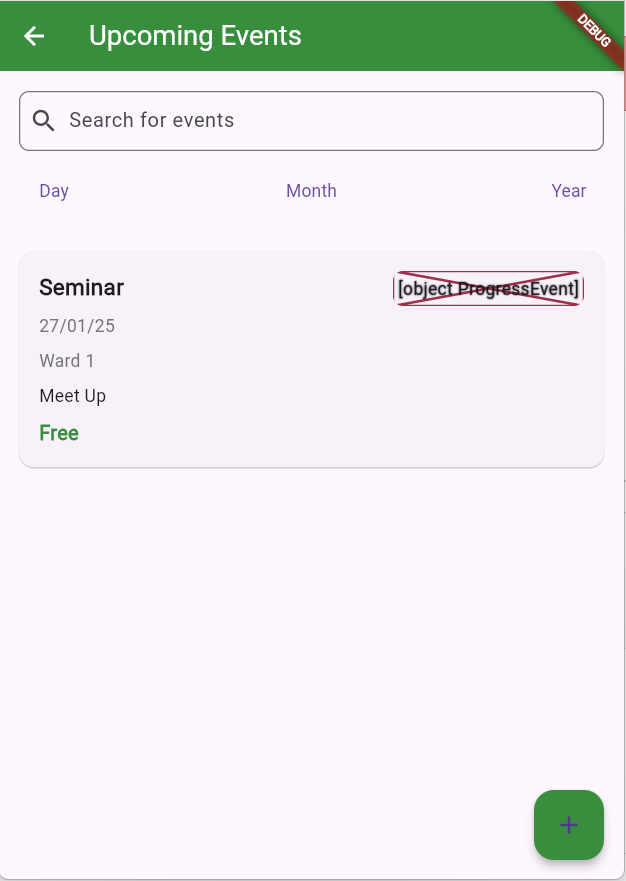
Stay updated on upcoming ANC events and activities in your area.
Steps to View Events:
- Tap on the “Events” section from the main menu.
- Browse through a list of upcoming events such as meetings, rallies, and more.
- Tap on an event for more details.
Create an Event:
- Tap the “Create Event” button.
- Provide the event details such as title, date, time, and location.
- Tap “Submit” to create the event and share it with the community.
7. Meetings

The Meetings feature keeps you informed about ANC meetings and allows you to participate in them.
Steps to View Meetings:
- Tap on the “Meetings” icon.
- Browse a list of upcoming meetings.
- Tap on a meeting for more information (e.g., time, agenda).
- You can either attend in person or virtually, depending on the meeting setup.
Join a Meeting:
- To join, click on the “Join Meeting” button, and follow the instructions (for virtual meetings, you may be provided with a link).
8. News

The News feature delivers the latest updates and announcements from the ANC.
Steps to Access News:
- Tap on the “News” icon.
- Browse through the latest articles, updates, and announcements.
- Tap on any article to read the full content.
9. Profile

Your Profile is where you can manage your personal information and settings.
Steps to Access and Edit Your Profile:
- Tap on the “Profile” icon in the main menu.
- Here you can view and edit your Profile Picture.
- Tap “Edit” to make changes to your profile and save when done.
Settings:
- In your profile, you will also find the Settings section where you can update app preferences, notification settings, and other privacy options.
Getting Help
If you need assistance or have any questions, you can reach out to our support team directly through the “Help” section in the app. You can also check for FAQs or send us a message for any specific queries.
We hope this guide helps you make the most of your ANC Greater Midrand app experience. Stay connected, informed, and engaged with your community!
